10CH WiFi Security Camera System: Whole-Property Setup
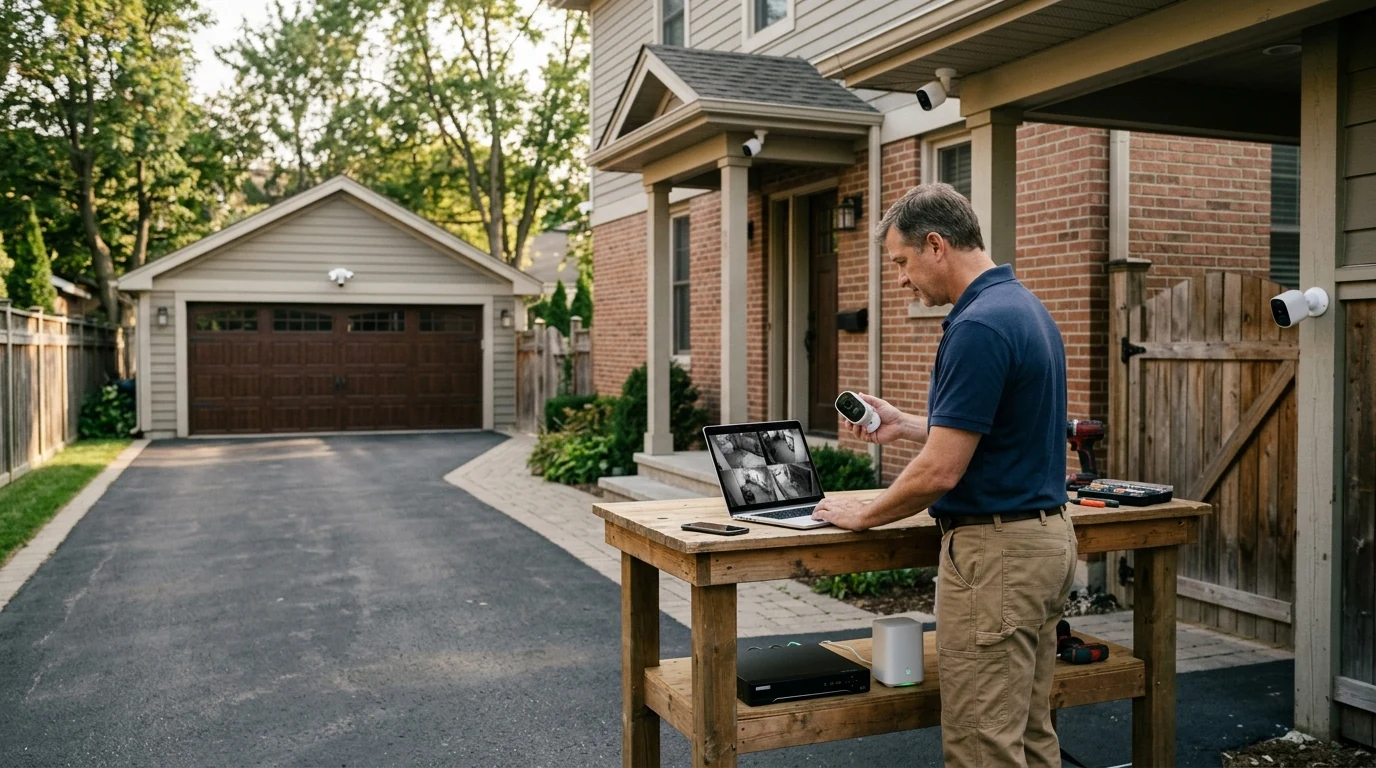
10CH WiFi Security Camera System for Whole-Property Coverage
A multi-camera WiFi security setup makes it easier to cover entry points, driveways, yards, and indoor common areas without running long video cables. With a 10-channel system, there’s room to start with a few cameras, learn what angles work best, and expand later—while keeping live view, playback, and alerts organized in one place.
What a 10-channel WiFi camera system is designed to do
A 10-channel WiFi camera system is built for multi-zone visibility without juggling separate apps or recorders. Instead of treating each camera like a standalone gadget, the system approach keeps everything centralized so daily monitoring stays simple.
- Supports up to 10 cameras on one recorder/app ecosystem, helping keep live view, playback, and alerts centralized.
- Works well for homes with multiple exterior sides, detached garages, small businesses, and mixed indoor/outdoor coverage.
- Designed for phased installs: add cameras over time without replacing the core system.
- Typical daily use: check live view, review motion events, export clips, and manage user access.
Key features to prioritize before buying
To get real value from a whole-property setup, focus on the features that affect identification, reliability, and day-to-day usability—not just camera count.
- Camera resolution and low-light performance: prioritize clear night footage and readable details where it matters (doors, gates, cash register area).
- Field of view and lens choice: wider views reduce blind spots, while narrower views can improve detail at longer distances.
- Motion detection and alert controls: look for adjustable sensitivity, activity zones, and scheduling to reduce false alerts.
- Two-way audio and siren/light deterrence (if available): useful for porches and side yards where quick verbal warnings can help.
- Storage approach: local recording (NVR/base station) helps maintain access during internet outages; cloud can add off-site redundancy.
- App and user management: multi-user access, permission controls, and quick event filtering matter for households and teams.
WiFi reliability: placement, bandwidth, and network setup
WiFi is the convenience layer—your network is the foundation. Before mounting anything permanently, take time to confirm coverage where cameras will live. This single step prevents most “my camera keeps dropping” headaches later.
- Start with a WiFi map: identify weak areas (garage corners, far yard, thick masonry walls) before final mounting.
- Use 5 GHz where practical: it’s often faster and cleaner, but range can be shorter.
- Use 2.4 GHz when needed: it typically reaches farther and handles walls better.
- Aim for stable signal over maximum speed: consistent connectivity reduces gaps in recordings and missed alerts.
- Segment and secure: use a guest or IoT network, strong passwords, and WPA2/WPA3 encryption.
- Scale the network: add a mesh node or access point closer to camera clusters instead of pushing the main router to its limits.
Quick WiFi checklist for a multi-camera setup
| Item | Why it matters | Practical target |
|---|---|---|
| Signal strength at camera location | Prevents dropouts and delayed alerts | Consistent strong signal where each camera mounts |
| Router/AP placement | Reduces dead zones and interference | Central location or mesh node near far cameras |
| Network security | Protects camera feeds and accounts | WPA2/WPA3, unique passwords, updated firmware |
| Event settings | Controls storage usage and notifications | Activity zones, schedules, and sensitivity tuned per area |
Installation planning for full coverage
Whole-property coverage is less about “more cameras” and more about smart placement. The goal is to capture faces at decision points (approaches, doors, gates) and maintain continuity as someone moves through the property.
Privacy and account safety settings that should be enabled
Security cameras protect property, but they also handle sensitive footage. Basic device and account hardening reduces the risk of unauthorized access. Practical guidance from organizations like NIST and the Cybersecurity & Infrastructure Security Agency (CISA) aligns with a few simple habits.
A 10-channel option to consider
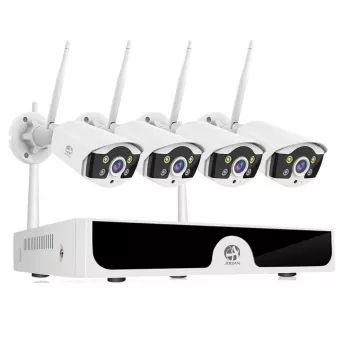
- 10CH WiFi Security Camera System: a scalable choice for building a unified view across multiple zones and adding cameras as needs change.
- Works best when paired with a solid home network plan (router placement, mesh where needed, and careful camera positioning).
- Ideal for avoiding “split systems,” where different camera brands and apps make playback and alerts harder to manage.
For a more comfortable monitoring setup at a desk—especially if you review clips often or coordinate with family or staff—pairing your viewing station with clear voice capture can help during incident documentation or two-way communication. The RGB USB Gaming Microphone with Noise Canceling & One-Touch Mute is a simple add-on for a home office or back-room workstation where footage is reviewed.
Common use cases and layout ideas
FAQ
How many cameras are actually needed for a typical home?
Many homes do well with 4–6 cameras for basics (main entries and driveway), 6–8 for full exterior coverage, and 8–10 for larger lots or added indoor common areas. Start with entry points, then add cameras after a week of real-world testing to see where blind spots and nuisance alerts show up.
Will a WiFi camera system still record if the internet goes out?
If the system supports local recording, it can often keep recording as long as the cameras and recorder have power and can still connect on the local network; remote viewing may be unavailable during the outage. Cloud-only recording typically won’t upload new footage without internet access.
How can false motion alerts be reduced?
Use activity zones, tune sensitivity per camera, and set schedules so notifications match when an area is actually important. Also avoid aiming cameras at busy streets, swaying trees, or reflective surfaces, and enable smarter detection modes (like person/vehicle filtering) when available.














Leave a comment