USB RGB Gaming Mic: Noise Canceling + One-Touch Mute
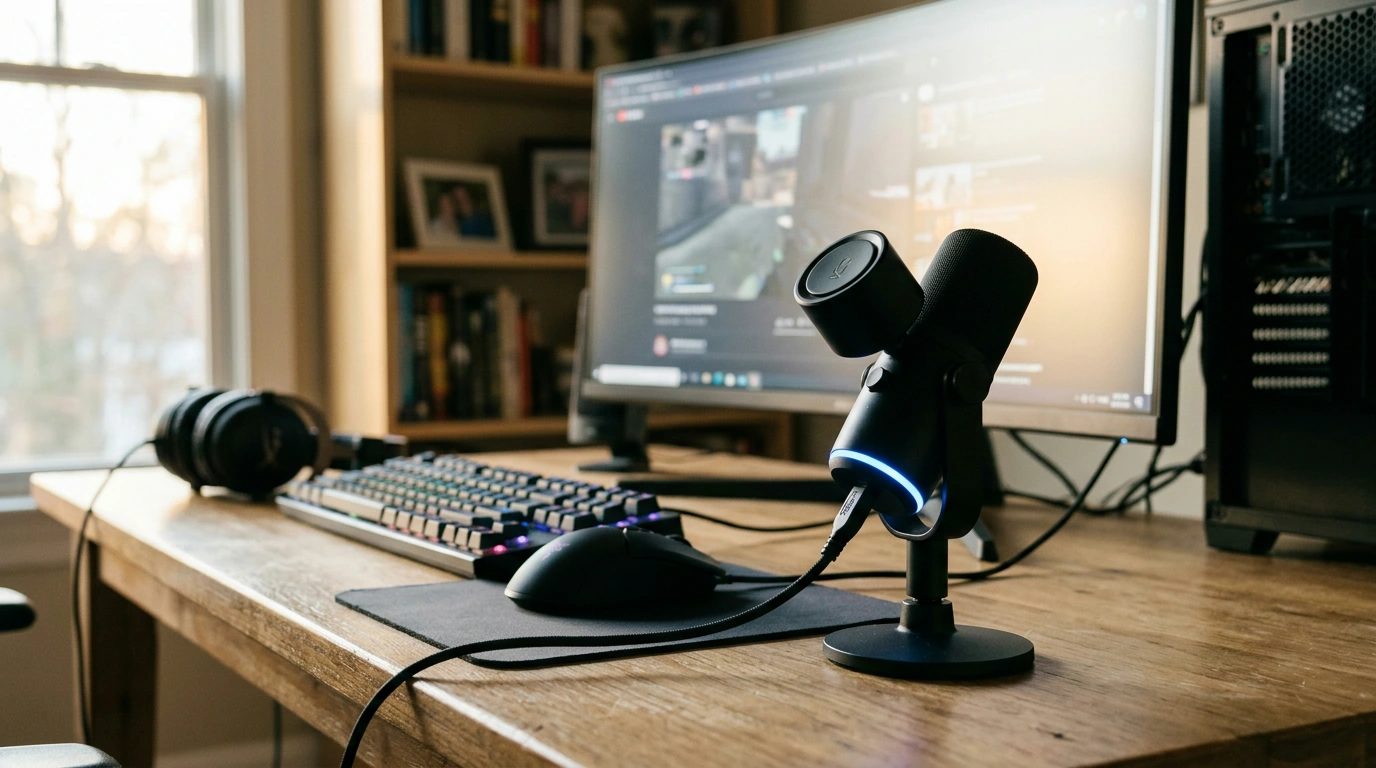
RGB USB Gaming Microphone with Noise Canceling & One-Touch Mute
Clear voice can be the difference between a clutch callout and a missed cue. The RGB USB Gaming Microphone with Noise Canceling & One-Touch Mute is designed for quick USB setup and practical, day-to-day control—so audio stays consistent whether you’re grinding ranked matches, streaming to an audience, or jumping into a last-minute meeting. With noise-canceling support to help keep steady background sounds in check and a one-touch mute for instant privacy, it’s an easy upgrade from the “good enough” sound of most headset mics. For more guidance, see What Your Noise-Cancelling Headphones Can and Can’t Do.
What This Microphone Is Built For
- Gaming voice chat: clearer comms for squad callouts and strategy talk without constant mic fiddling.
- Streaming and short-form content: a cleaner voice track that’s easier to balance against gameplay audio.
- Remote work and classes: simple USB setup for stable conferencing audio.
- Desk aesthetics: RGB lighting that complements common PC setups without adding complexity.
If your current mic tends to sound distant, picks up too much room noise, or forces you to dive into settings every session, a dedicated desktop USB microphone can simplify the routine and improve how clearly others hear you.
Standout Features That Matter Day to Day
Specs are helpful, but the real value shows up in the small moments: when the keyboard gets loud mid-round, when someone walks into the room during a call, or when you need to mute instantly without hunting for a software button.
- Noise canceling support: helps reduce steady background sounds so speech stays more prominent.
- One-touch mute: fast, reliable privacy and control during chats, streams, or calls.
- USB connectivity: plug-and-play convenience for many computers without extra audio interfaces.
- RGB lighting: adds visual character on camera and on the desk; especially useful for stream setups.
- Gaming-friendly control layout: designed for quick changes while staying focused on the game or the conversation.
Quick Feature Snapshot
| Feature | Why it helps | When it’s most useful |
|---|---|---|
| Noise canceling support | Reduces distracting background sound and emphasizes voice | Fans/AC noise, shared rooms, late-night sessions |
| One-touch mute | Instantly stops audio pickup for privacy and control | Coughs, side conversations, unexpected interruptions |
| USB connection | Fast setup without additional gear | New PC builds, laptops, travel setups |
| RGB lighting | Enhances desk look and on-camera presence | Streaming, video calls, setup photos/videos |
Setup Guide: Getting Clean Audio Fast
A good mic can still sound “off” if placement and levels aren’t dialed in. A few quick adjustments usually get you 80% of the way to a clean, broadcast-friendly voice.
- Placement: position the mic about 6–12 inches from your mouth and keep it slightly off-axis (not pointed straight at your lips) to reduce plosives.
- Gain/level: start lower, then raise until your voice is strong without clipping; confirm with a short recording before going live.
- Noise sources: place the mic farther from keyboards and PC fans; a stable surface helps reduce vibrations traveling through the desk.
- Mute habit: use one-touch mute during breaks so you don’t accidentally broadcast background audio.
- App selection: set the microphone as the active input in your game chat, Discord, or meeting software.
If voice chat is acting up, Discord’s own troubleshooting steps can help verify input selection and levels: Discord Support: Voice and Video Troubleshooting. For Windows input issues, Microsoft’s guide is a solid checklist: Fix microphone problems in Windows.
Tuning Tips for Gaming, Streaming, and Calls
Once the mic is recognized and positioned well, small tuning choices can make your voice easier to understand—especially in noisy environments or fast-paced comms.
If you have a compatible setup and want stronger background suppression, tools like NVIDIA Broadcast noise removal can help further reduce constant noise and room echo (when available), especially in untreated rooms.
Care, Durability, and Desk-Friendly Use
Product Details and Buying Notes
At-a-Glance
| Item | Value |
|---|---|
| Name | RGB USB Gaming Microphone with Noise Canceling & One-Touch Mute |
| Price | $50.51 USD |
| Stock status | In stock |
Pair It with Other In-Stock Picks
- Golf Cart Bag with 14-Way Divider and 36″ Pockets for organized club storage and easy access on the course.
- Women’s Genuine Leather Retro Office Pumps – 4cm Square Heel Slip-On for a polished look that stays comfortable for longer days.
FAQ
Does one-touch mute stop the microphone immediately?
One-touch mute is designed to cut the mic quickly so you can manage privacy or interruptions in real time. Indicator behavior can vary by device and app, so it’s smart to confirm in your software’s input meter that audio is fully muted.
Will a USB gaming microphone work on a laptop without extra equipment?
In many cases, yes—USB microphones are plug-and-play and don’t require an external audio interface. After plugging in, select the mic as your input device in system settings and inside the specific app (Discord, game chat, Zoom, or Teams).
How can background keyboard noise be reduced?
Move the mic closer to your mouth, lower the gain, and keep it slightly off-axis so it favors your voice over the keys. Position the mic farther from the keyboard when possible and enable any available noise suppression in your software for an additional reduction.













Leave a comment