8KHz Ultra-Light Wireless Gaming Mouse: Worth It?
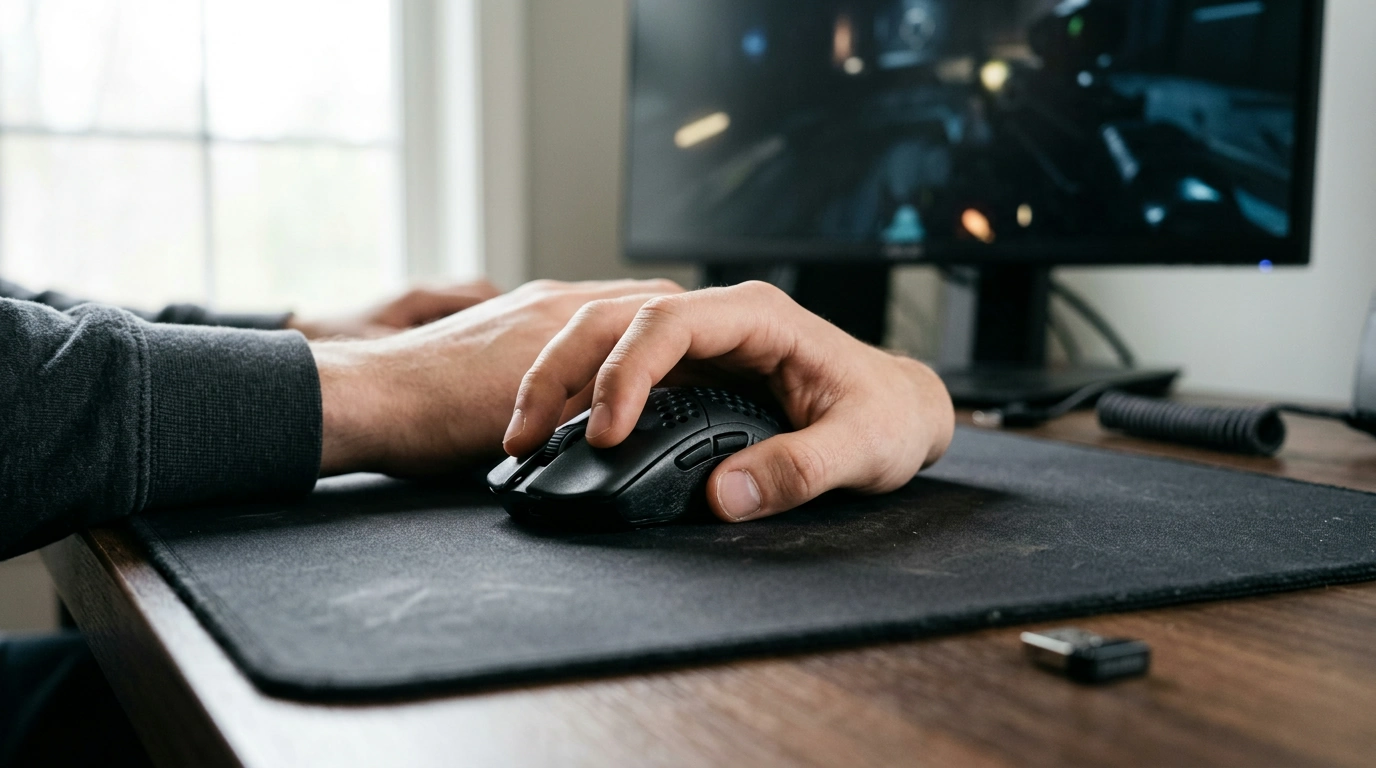
Ultra Lightweight Wireless Gaming Mouse 8KHz: Speed, Control, and Comfort
Fast wireless input and a featherweight build can change how aiming and tracking feel, especially in competitive shooters and high-APM games. This guide breaks down what 8KHz polling can improve, what it can’t, and how an ultra-light wireless mouse fits into different playstyles and setups.
What 8KHz Polling Changes in Real Play
Polling rate is how often your mouse reports position updates to your PC. In supported modes, 8KHz polling can deliver up to 8000 updates per second, shrinking the update interval and tightening the timing of tiny corrections.
In real play, higher polling can reduce the “stair-stepping” feeling that sometimes shows up during extremely fast flicks or rapid micro-adjustments. On high-refresh monitors, that can translate into smoother cursor/reticle motion, especially when you’re making constant small corrections while tracking a moving target.
That said, not every game or system shows a dramatic difference. Improvements are often subtle and depend on sensitivity, frame rate, display refresh rate, and the rest of the latency pipeline (CPU scheduling, USB controller behavior, in-game input handling, and overall system stability).
Polling Rate Snapshot
| Polling rate | Update interval (approx.) | Where it tends to matter most | Potential trade-offs |
|---|---|---|---|
| 1000Hz | 1 ms | Most players; broad compatibility | Lowest CPU impact; baseline responsiveness |
| 2000Hz | 0.5 ms | Higher refresh displays; competitive aiming | Slightly higher CPU overhead |
| 4000Hz | 0.25 ms | Fast flicks; reduced motion quantization | More CPU overhead; firmware/OS sensitivity |
| 8000Hz | 0.125 ms | High-FPS + high refresh competitive play | Highest CPU overhead; battery impact depending on implementation |
For deeper background on how HID devices communicate over USB, see the USB-IF documentation and Microsoft’s USB and HID basics.
Why Ultra-Light Weight Matters for Aim and Endurance
Weight isn’t just a comfort spec—it directly affects how the mouse accelerates and stops. Lower mass reduces inertia, making it easier to start a flick, halt precisely, then transition into controlled tracking. In games where you constantly re-center and correct (tac FPS, arena shooters, battle royale), that “stop-and-go” feel can be the difference between overflicking and landing a clean first shot.
Ultra-light can also reduce fatigue across long sessions, particularly for claw and fingertip grips where the hand is doing more active lifting and steering. If you play low sensitivity (larger arm movements), a lighter mouse can make sweeping motions feel less taxing over time.
One nuance: ultralight designs can feel different at similar weights. Balance, shell rigidity, and where the mass sits (rear hump vs. forward-heavy) change how stable the mouse feels at speed. A few grams on paper can matter less than whether the shape “locks in” for your grip.
Wireless Performance: Latency, Stability, and Practical Range
Modern 2.4GHz gaming wireless can feel effectively “wired,” especially when the receiver is close to the mouse and the local RF environment is clean. Stability usually comes down to practical setup choices more than raw specs.
- Receiver placement matters: A front USB port or an included extender can keep the dongle in a clearer line-of-sight and reduce drops.
- Avoid interference hotspots: If possible, don’t tuck the dongle behind a metal PC case or right next to a busy router.
- Expect power trade-offs: If an 8KHz mode is available, it typically draws more power than 1KHz. Switching to 1KHz for casual play and bumping polling for competitive sessions is a practical way to balance performance and runtime.
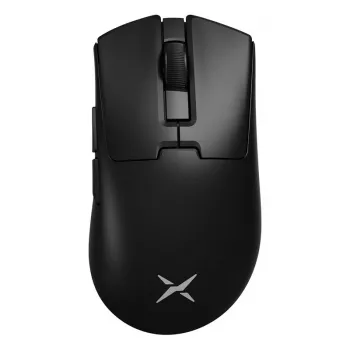
If you’re shopping specifically for high polling plus wireless convenience, consider the Ultra Lightweight Wireless Gaming Mouse 8KHz as a focused option for fast-paced play.
Sensor, Lift-Off, and Surface Pairing
A strong sensor should track accurately during both slow micro-corrections and fast swipes—without unwanted smoothing or acceleration artifacts that can make your aim feel “floaty.” Just as important is lift-off distance (LOD): a lower LOD is often preferred for FPS because it helps prevent cursor drift when you lift and reposition.
Don’t overlook the physical interface between mouse and desk. Mouse feet and pad surface shape the glide profile:
- Control pads emphasize stopping power for crisp snaps and clean angle changes.
- Speed pads reduce friction, which can make long tracking lines feel effortless (but may require more discipline to stop precisely).
Buttons, Wheel, and Shape: Fit Beats Specs
System Readiness for 8KHz
Ultra Lightweight Wireless Gaming Mouse 8KHz: Quick Specs and Use Cases
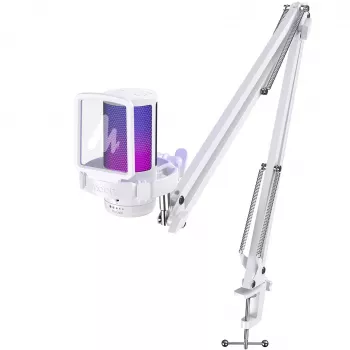
For streaming, comms, or team callouts, pairing your setup with a dedicated mic can help clarity without extra desk complexity—see the RGB USB Gaming Microphone with Noise Canceling & One-Touch Mute.
At-a-Glance Buying Checklist
| Priority | What to look for | Why it matters |
|---|---|---|
| Competitive FPS | Stable wireless + high polling options | More consistent aim feel in fast corrections |
| Comfort | Lightweight + shape that matches grip | Less fatigue, better long-session control |
| Consistency | Good feet + pad pairing | Predictable glide and stopping |
| Compatibility | Driver/firmware support | Smooth operation across games and systems |
FAQ
Is 8KHz polling always better than 1000Hz?
Not always. 8KHz can reduce input granularity and improve “smoothness” in ideal high-FPS, high-refresh setups, but the gains are often subtle and can come with higher CPU overhead and potential stability quirks on some systems.
Will 8KHz polling reduce battery life on a wireless mouse?
Usually, yes. Higher report rates generally increase power draw, so battery life may drop compared to 1000Hz; using 1KHz for everyday use and switching higher for competitive sessions is a common approach.
What should be checked if the mouse feels jittery at high polling rates?
Try a different USB port, move the receiver closer, avoid hubs, and update firmware/drivers. If it persists, check CPU load and reduce polling (for example to 4KHz or 2KHz) to confirm whether the issue is system stability rather than tracking.













Leave a comment