USB/XLR Dynamic RGB Mic w/ Mute for Streaming & Games
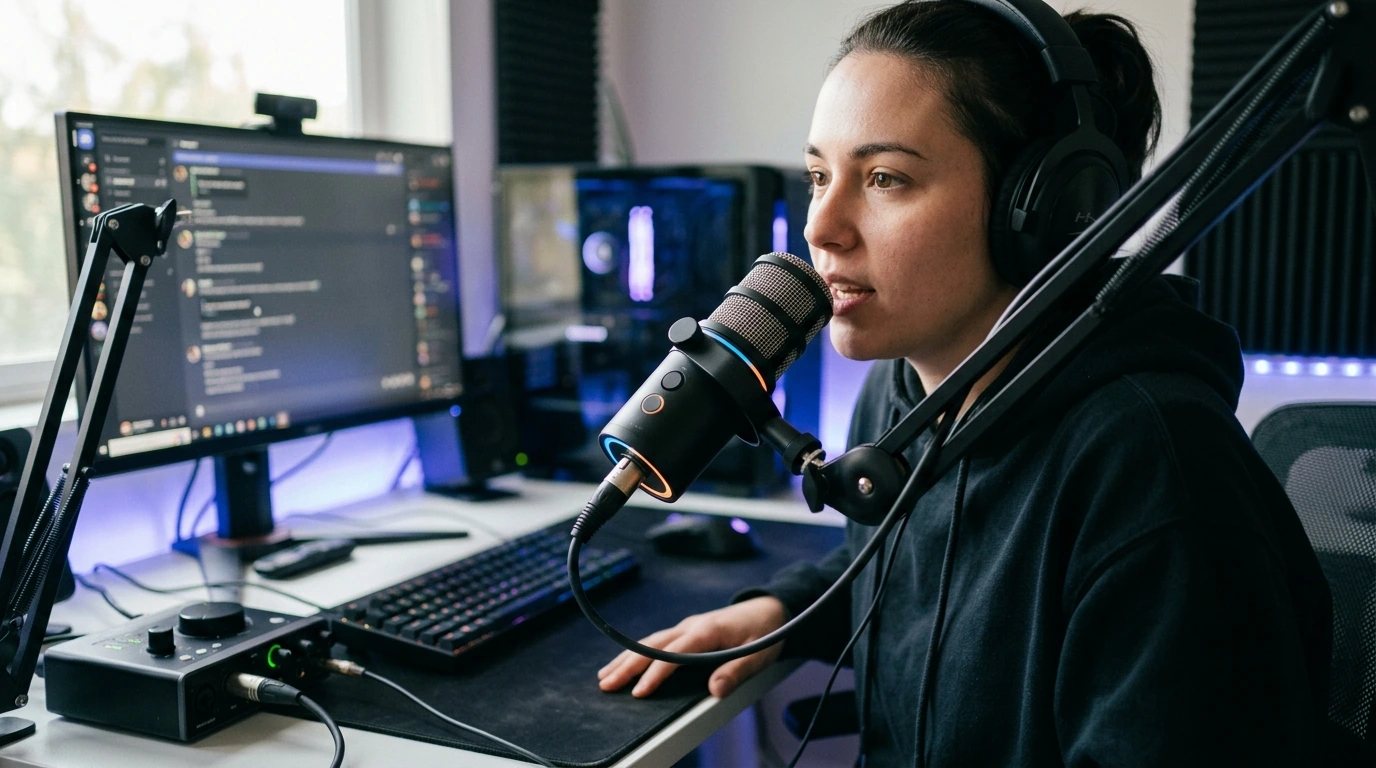
USB/XLR Dynamic Microphone with RGB Lights & Mute Button for Gaming & Streaming: A Clean Upgrade for Voice Chat and Content
A great stream or game session can be derailed by one thing: voice that’s hard to understand. Our USB/XLR dynamic microphone is built for clear, close-up speech, quick control when things get noisy, and a setup that can grow with your streaming or recording workflow—without turning your desk into a studio project. For more guidance, see Maono PD200X USB/XLR Dynamic Microphone.
What This Microphone Is Made For
- Gaming voice chat that stays intelligible even when your room isn’t perfectly quiet
- Streaming and short-form content where consistent vocal level matters more than capturing every background detail
- Hybrid setups: start with USB, later move to XLR when you add an audio interface or mixer
- On-desk recording for podcasts, commentary, and meetings with a more “broadcast” style sound than typical headset mics
USB vs. XLR: Two Paths, One Mic
One of the biggest advantages of a dual-connection microphone is that you can keep your setup simple now and still have a clear upgrade path later. USB is the fast lane: plug in, select it in your system or streaming software, and you’re live. XLR is the flexible lane: it’s designed to pair with an interface or mixer so you can dial in gain, route audio sources, and expand your chain without replacing the mic. For further reading, see Professional Gaming Microphone with Stand RGB USB ….
| Connection | Best for | What else is needed | Typical next upgrade |
|---|---|---|---|
| USB | Fast start, laptops, consoles/PC streaming setups | A stable stand/arm and optional pop filter | Basic software filters (noise gate/compressor) |
| XLR | Interfaces, mixers, multi-source streaming | Audio interface/mixer + XLR cable | Hardware gain staging and cleaner routing |
Dynamic Microphone Advantage for Gaming and Streaming
Dynamic microphones are a go-to choice for close-talk voice because they tend to emphasize what’s right in front of the mic while being less eager to capture distant room sound than many sensitive condenser mics. That doesn’t mean background noise disappears automatically—your technique still matters—but it does mean you can often get a focused, “in the mix” voice without leaning on heavy noise reduction.
- Speak close and consistently for the cleanest, most confident sound
- With smart placement, keyboard clicks, fans, and controller noise are less likely to dominate
- A simple noise gate in your streaming software can keep idle noise down between sentences
If you’d like a deeper breakdown of how mic types behave, Shure’s learning resources are a solid starting point: https://www.shure.com/en-US/performance-production/louder. Audio-Technica also has helpful microphone basics: https://www.audio-technica.com/en-us/support.
RGB Lighting That Fits a Desk Setup (Without Getting in the Way)
RGB can do two useful things: match your room theme and make the mic easy to locate on a dim desk. The key is keeping lighting secondary to usability—your priority is still clear voice capture and quick access to controls.
- For a clean on-camera look, keep the mic lighting consistent with your keyboard, case fans, or ambient strips
- If you use the mic for meetings, choose a subtle mode to keep your frame looking professional
- Avoid stacking multiple competing patterns; a steady, coordinated look usually reads “cleaner” on camera
One-Touch Mute: The Feature That Saves Streams
A dedicated mute button is one of those features you don’t fully appreciate until you need it. If you cough, someone walks into the room, or you need to answer a quick question off-mic, one tap can keep your audio under control without frantic window switching.
- Position the mic so the mute is reachable without changing posture (a boom arm helps)
- Build a simple habit: mute before you step away, unmute after you’re back and steady
- For streaming polish, pair mute with a “BRB” scene so your audio and visuals change together
Placement Tips That Improve Sound More Than Settings
You can spend hours on EQ and still lose clarity if your mic position changes constantly. A repeatable setup is the fastest path to better sound.
- Distance: keep the mic close enough for a strong voice signal; consistency beats “perfect settings”
- Angle: speak slightly past the mic (off-axis) to reduce plosives while staying clear
- Stability: use a solid stand or boom arm to reduce desk vibration and keep camera framing steady
- Room habits: reduce unnecessary fans, aim away from keyboards, and keep your speaking position repeatable
A Simple Upgrade Path for a Streamer’s Audio
Shop Our In-Stock Mic Options
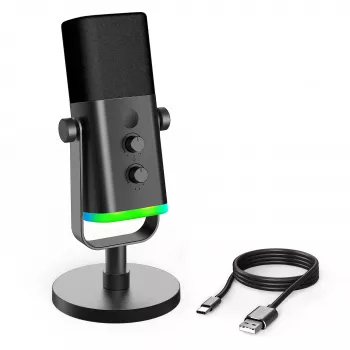
- USB/XLR Dynamic Microphone with RGB Lights & Mute Button for Gaming & Streaming
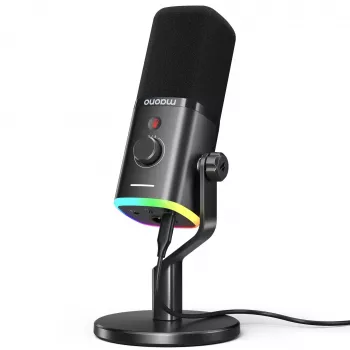
- RGB USB Gaming Microphone with Noise Canceling & One-Touch Mute
Who This Microphone Fits Best
FAQ
Should USB or XLR be used for streaming?
Use USB when you want the simplest setup and a fast start—plug in, select the mic, and go live. Choose XLR when you’re adding an interface or mixer for better gain control, routing, and long-term expansion. Either can sound great when your placement and levels are consistent.
Does a dynamic microphone help reduce keyboard and room noise?
Yes, dynamic mics are commonly used for close-up voice and are often less sensitive to distant sound than many condenser mics. Placement matters most: keep the mic close to your mouth and aim it so it “looks away” from the keyboard. A light noise gate can further reduce idle room noise.
How close should the microphone be for clear speech without plosives?
Keep it close and consistent, then angle the mic slightly off-center so bursts of air don’t hit it directly. If you still hear pops on “P” and “B” sounds, add a windscreen or pop filter and keep speaking across the mic rather than straight into it.












Leave a comment