Magnetic Rapid Trigger Keyboard: 8K Polling + RGB Guide
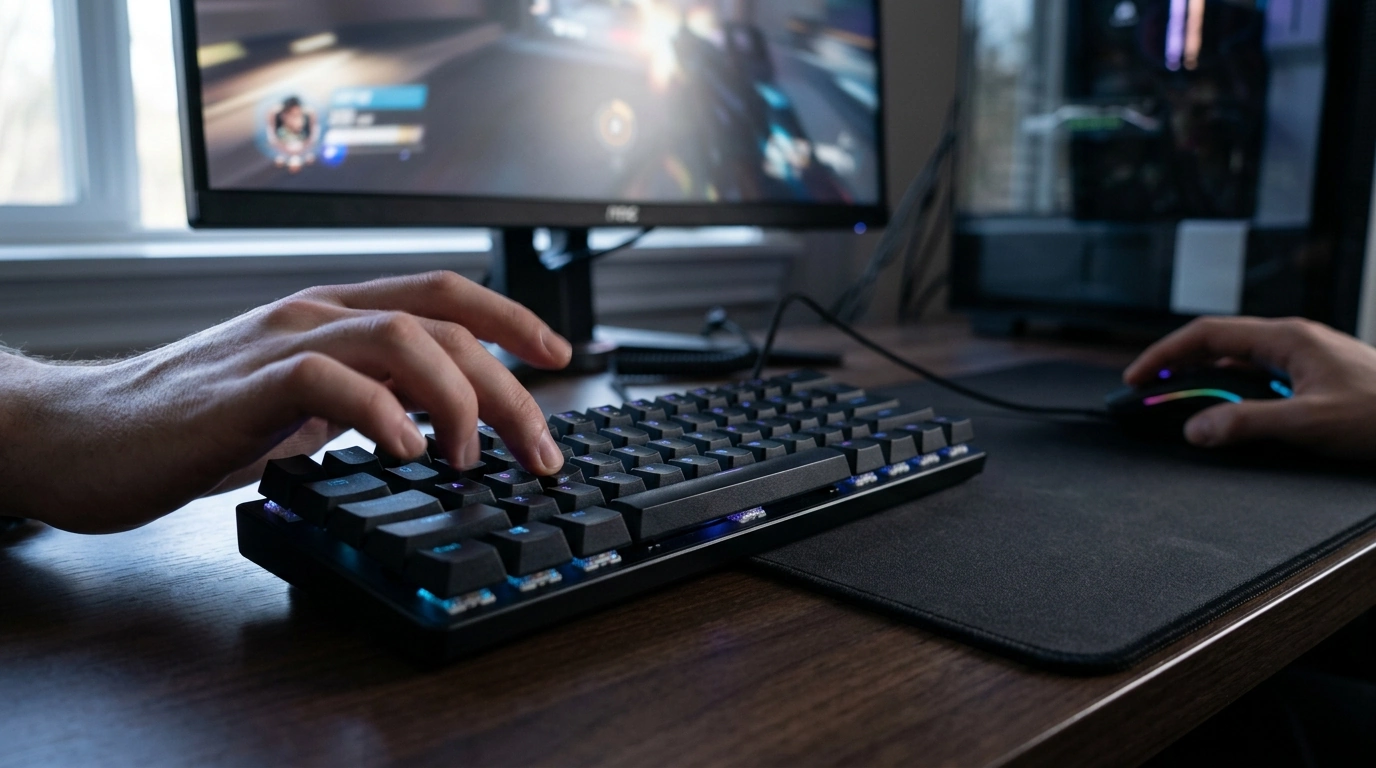
Magnetic Rapid Trigger Gaming Keyboard with 8K Polling and RGB Backlight
A magnetic rapid-trigger keyboard is built for fast, repeatable inputs and fine control over actuation, making it especially useful for competitive play and rhythm/precision-heavy genres. With 8K polling and customizable RGB backlighting, this model focuses on responsiveness, consistency, and a clean desk setup that still feels personal.
What makes a magnetic rapid-trigger keyboard different
Traditional mechanical keyboards usually register a press at a single fixed point in the switch travel. Magnetic sensing (often associated with Hall effect-style designs) tracks key position more continuously, which changes how quickly a key can “reset” and register again.
- It uses magnetic position detection to read key travel more continuously than fixed-point actuation designs.
- Rapid trigger behavior can allow quicker key resets during repeated presses, supporting faster strafing, counter-strafing, and tap inputs.
- Adjustable actuation (where supported) helps match different games and typing preferences—lighter for speed, deeper for control.
- Consistency over time can improve because sensing is based on position detection rather than relying solely on physical contact points.
That “position-based” feel is a big reason competitive players like magnetic boards: it can make movement inputs feel more directly connected to finger motion, especially during fast feathering and partial releases.
8K polling rate: what it changes in real use
Polling rate is how often the keyboard reports its state to the PC. At 8K, the keyboard can report up to 8000 times per second. In the right setup, this can reduce input reporting delay and make rapid changes in key state arrive more quickly—most noticeable in high-FPS competitive games where timing is tight.
- Polling rate describes how often the keyboard reports input to the PC; 8K means up to 8000 reports per second.
- Higher polling can reduce input reporting delay in supported configurations, which may be noticeable in high-FPS competitive play.
- Benefits depend on the full setup: USB performance, system load, game engine behavior, and whether the keyboard firmware implements stable high-rate reporting.
- If stability issues appear on older systems, switching to a lower polling rate can be a practical troubleshooting step.
Polling rate at a glance
| Polling Rate | Report Interval (Approx.) | Typical Fit |
|---|---|---|
| 1000 Hz | 1.0 ms | Most gaming setups; broadly compatible |
| 2000 Hz | 0.5 ms | High-FPS play; modest latency reduction |
| 4000 Hz | 0.25 ms | Enthusiast setups; diminishing returns begin |
| 8000 Hz | 0.125 ms | Latency-sensitive competitive play with strong PC/USB stability |
For deeper background on how USB input devices communicate, see the USB HID specification and Microsoft’s overview of USB device communication concepts. If comparing latency and methodology across keyboards, RTINGS keyboard test notes can provide useful context.
RGB backlight: visibility, comfort, and customization
RGB lighting is more than aesthetics when it’s done well. Clear legends and adjustable brightness can reduce squinting in dim rooms, while purposeful color choices can make key clusters easier to locate by peripheral vision.
- Per-key or zone lighting (depending on the model’s implementation) improves readability in low-light rooms and can help visually organize key clusters.
- Brightness control matters as much as color—high brightness can cause eye fatigue; lower levels can be more comfortable for long sessions.
- Useful controls include quick toggles, static “focus” colors, and effects only when desired.
- In shared spaces, subtle profiles keep lighting clean and distraction-free.
A practical approach is to keep one profile bright and high-contrast for late-night play and a second profile at low brightness for long work sessions.
Performance features that matter for competitive games
Competitive play rewards consistency. Small improvements—cleaner resets, fewer accidental presses, and reliable multi-key inputs—add up over hundreds of rounds or repeated maps.
- Rapid reset behavior can support cleaner movement inputs and faster repeated actions when timing is tight.
- Stable key feel and consistent actuation help reduce accidental presses during intense play.
- Anti-ghosting and N-key rollover support reliable multi-key combinations (movement + utility + weapon swap).
- A solid case and minimal flex can improve perceived precision during fast taps and repeated bursts.
Daily typing and long-session comfort
Setup checklist and tuning tips
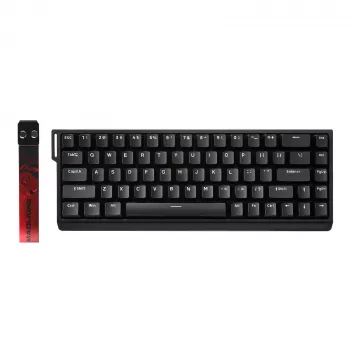
Product spotlight: Magnetic Rapid Trigger Gaming Keyboard with 8K Polling and RGB Backlight
Magnetic Rapid Trigger Gaming Keyboard with 8K Polling and RGB Backlight is built around fast input reporting and quick key reset behavior for responsive gameplay. The 8K polling option targets low-latency reporting in supported setups, and RGB backlighting keeps the layout readable while letting the desk look intentional instead of cluttered.
Quick details
| Item | Value |
|---|---|
| Price | $67.51 |
| Availability | In stock |
| Product page | View product |
Pairing ideas for a cohesive gaming setup
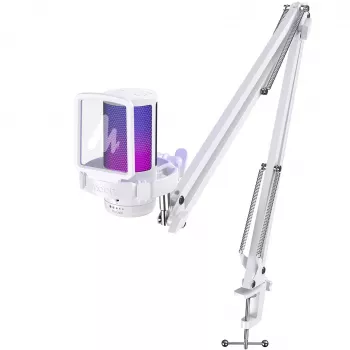
For voice chat and streaming, consider pairing with the RGB USB Gaming Microphone with Noise Canceling & One-Touch Mute to keep your setup visually consistent while improving call clarity.
FAQ
Does 8K polling make a noticeable difference compared to 1K?
It can, because 8K reduces the report interval from about 1.0 ms to about 0.125 ms. The difference is most noticeable in high-FPS competitive play on stable systems; if you see stutter or instability, dropping to 4K or 2K is a sensible fix.
What is rapid trigger and who benefits most from it?
Rapid trigger is behavior that lets a key reset and re-actuate with smaller releases during repeated presses, instead of requiring a full return to a fixed reset point. Players who rely on rapid taps—movement-heavy shooters, rhythm games, and precision timing scenarios—tend to benefit the most.
How should actuation sensitivity be set for gaming vs typing?
Lighter sensitivity can help with fast actions in games, while a slightly deeper setting usually improves typing accuracy and reduces accidental presses. If the keyboard supports profiles, separate gaming and typing presets make it easier to switch without constant re-tuning.













Leave a comment